Text Split/Merge
UPDATED:2025-12-19
Split and merge text objects.
You can adjust text alignment (Left, Center, Right) without shifting its position. The script also lets you split text by line, phrase, character, or paragraph, and rebuild text from fragments by merging them back.
Palette Description
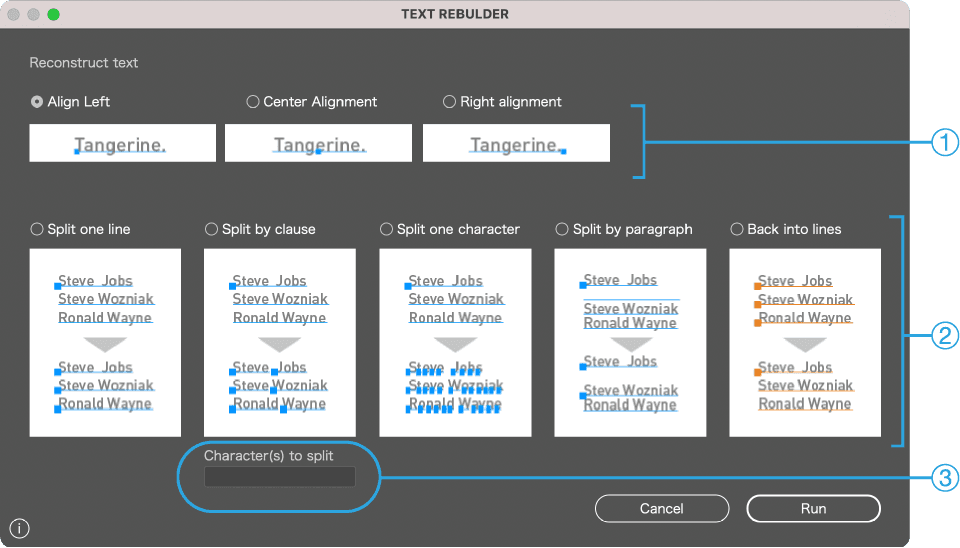
1
Change alignment without moving the text
・Align Left
・Align Center
・Align Right
2
Split and merge text
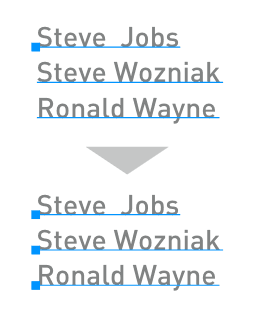
・Split by Line
・Split by Phrase
・Split by Character
・Restore Grouped Lines
3
Specify a delimiter when splitting by phrase
Usage
Select one or more text objects, choose an operation in the palette, and click Run.
Change alignment
Convert alignment without moving the text (Left, Center, Right).
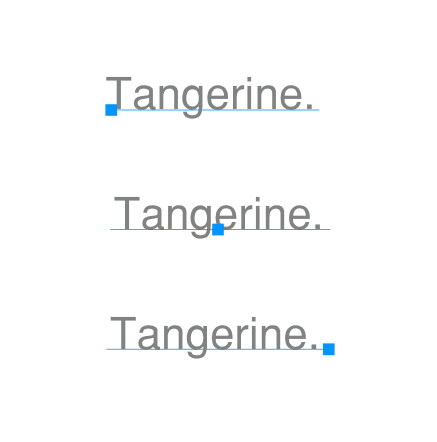
Illustrator’s default alignment may shift text position.
Split text
Split text in three ways:
Split by Line
Split by Phrase
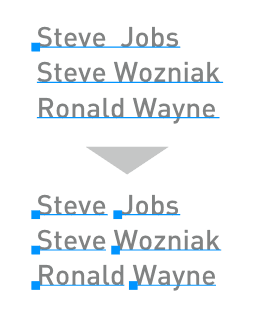
Specify characters in the palette menu to split at those (default: space).
Split by Character(s)
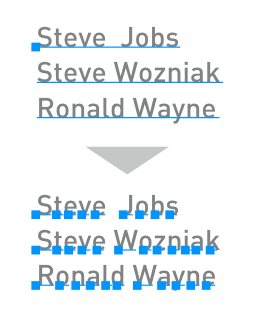
Restore Grouped Lines or rebuild text from fragments