Align To Grid
UPDATED:2025-12-19
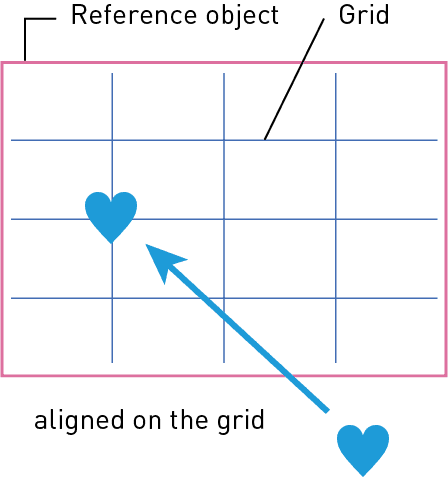
Align objects to a grid
Aligns objects to a 3-grid system (1/2, 1/4, 3/4) horizontally and vertically relative to a reference frame. Similar to Illustrator’s default 'Align Objects' function, but simpler to use.
Palette Description
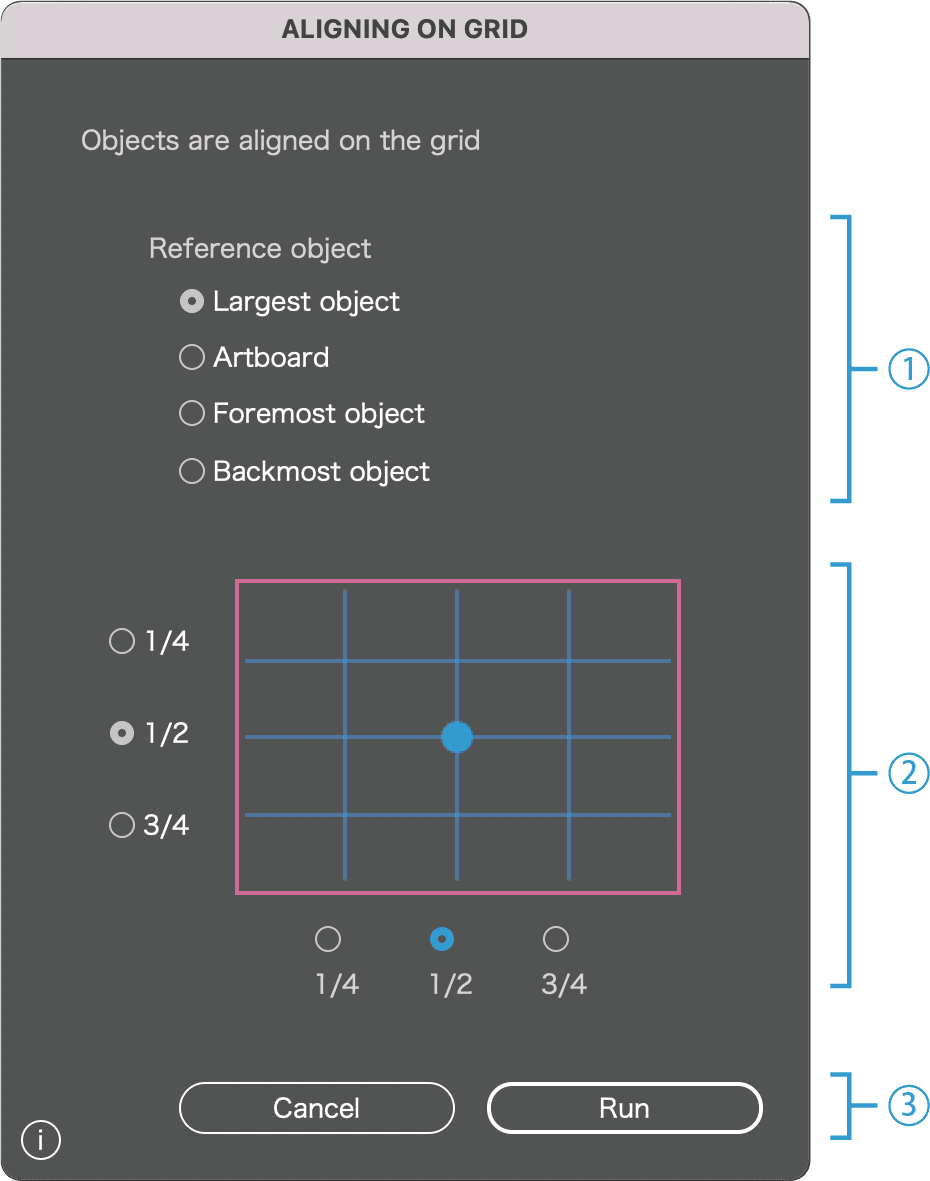
1
Choose the reference object
◯ Use the largest object
※Automatically detects the largest object that encloses all selected objects and uses it as the reference
◯ Use the artboard
◯ Use the foremost object
◯ Use the backmost object
2
Choose the alignment position
※Positions can be specified in 1/4 increments, horizontally and vertically
3
CANCEL / Run
Click Run to execute the script. Click CANCEL to close the dialog.