COME INIZIARE
Come usare lo script
Scarica il file dello script e spostalo nella seguente directory
Basta metterlo nella directory e usarlo dal menu di Illustrator.
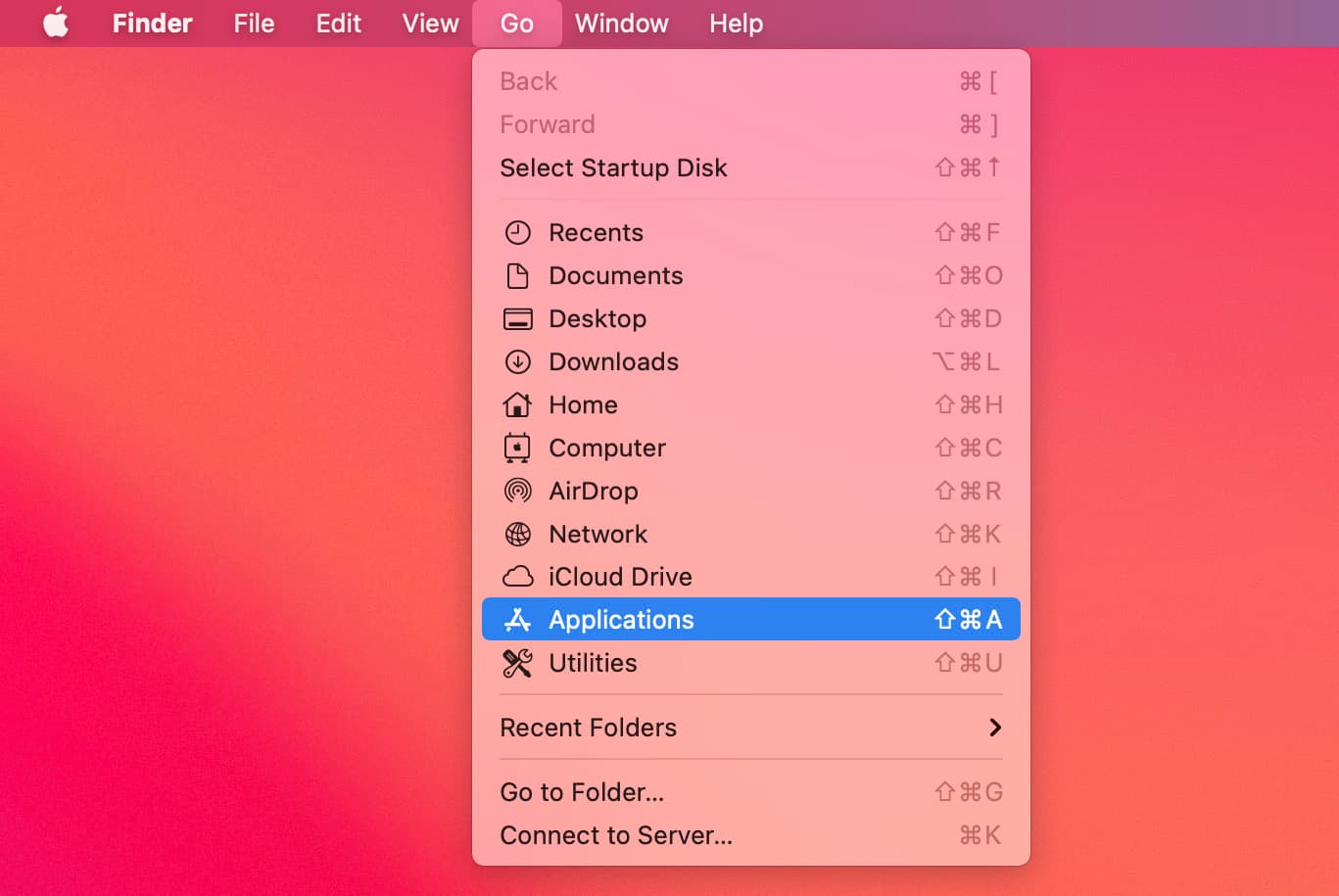
Go > Applications
/Applications/Adobe Illustrator CC 20XX /Presets/en_GB/Scripts
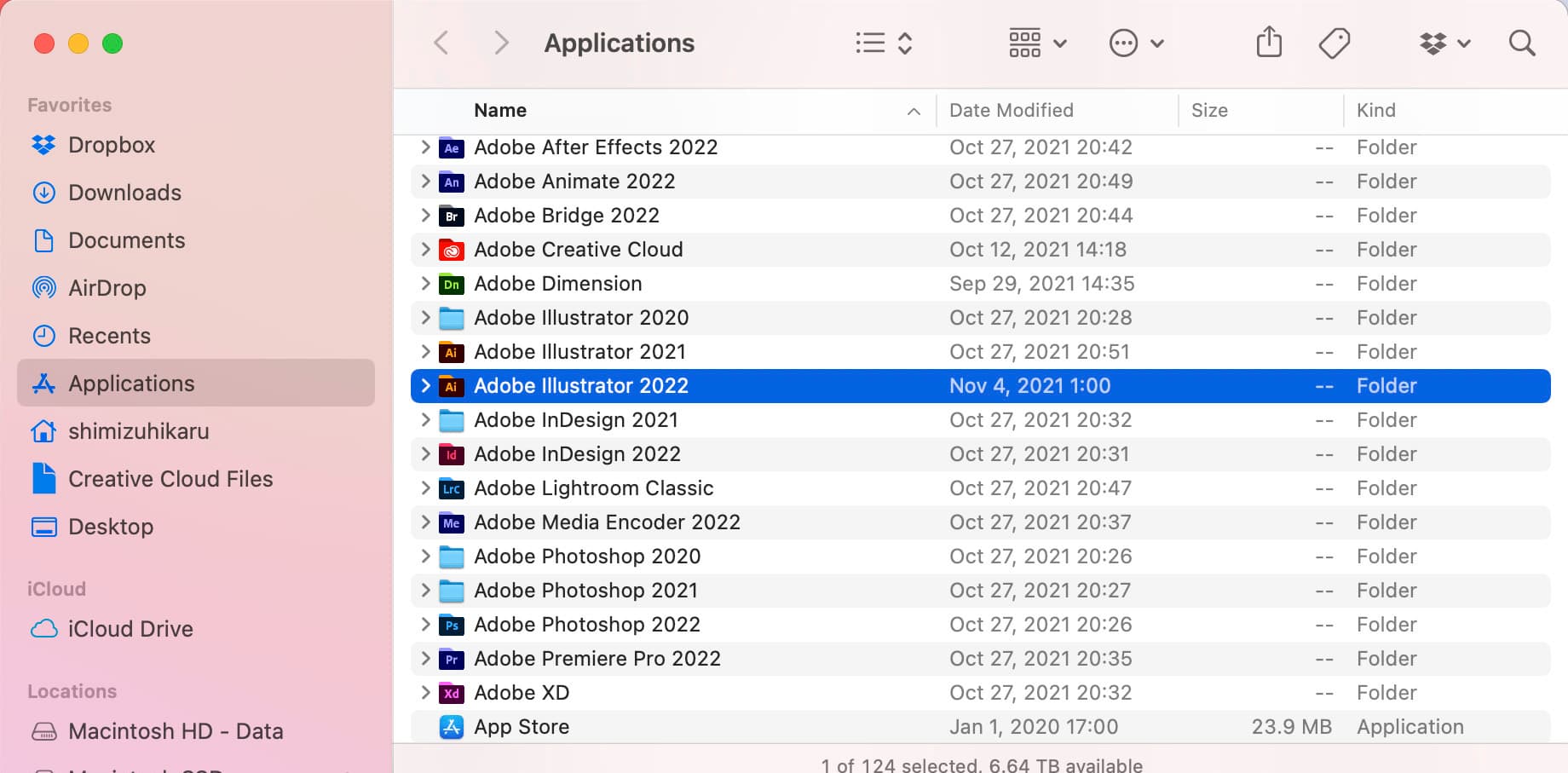
Open the Adobe Illustrator folder for scripts
/Applications/Adobe Illustrator CC 20XX /Presets/en_GB/Scripts
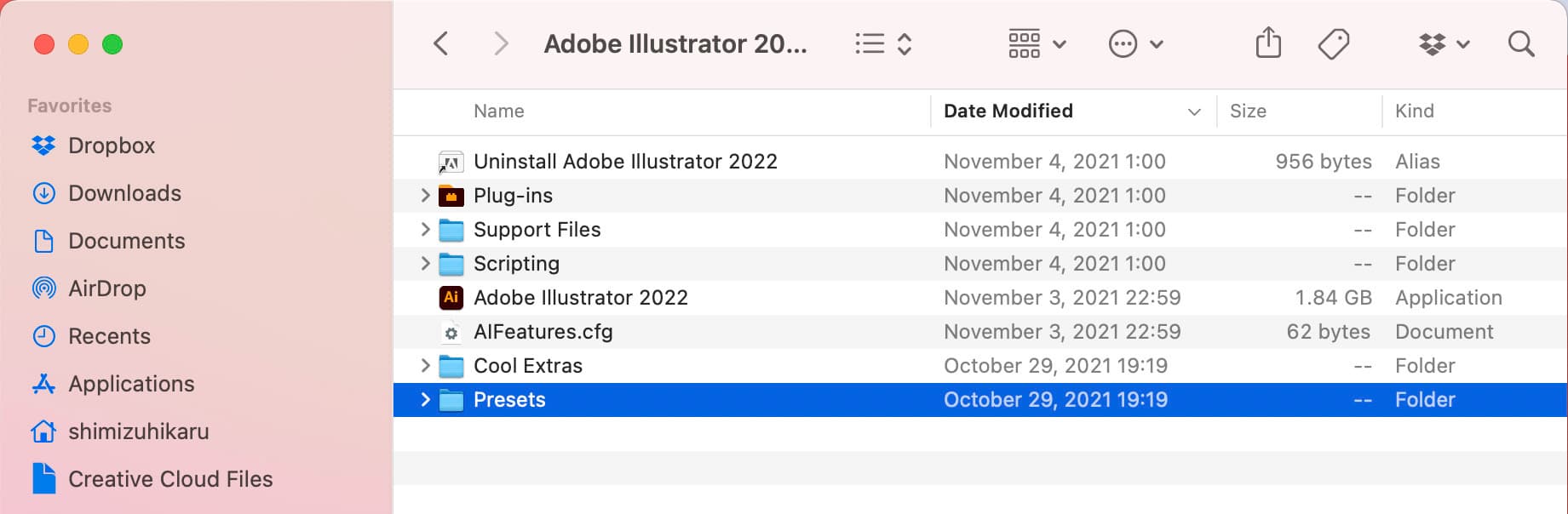
Open the Presets folder.
/Applications/Adobe Illustrator CC 20XX /Presets/en_GB/Scripts
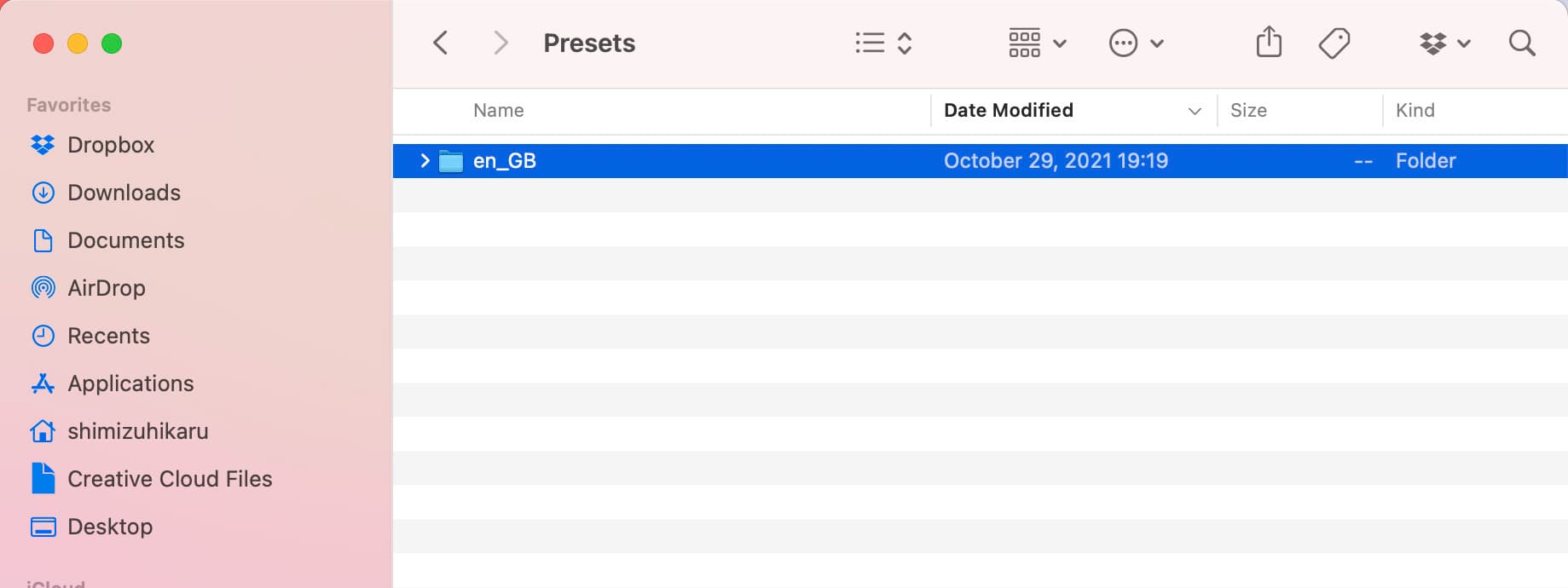
Open your language folder.
/Applications/Adobe Illustrator CC 20XX /Presets/en_GB/Scripts
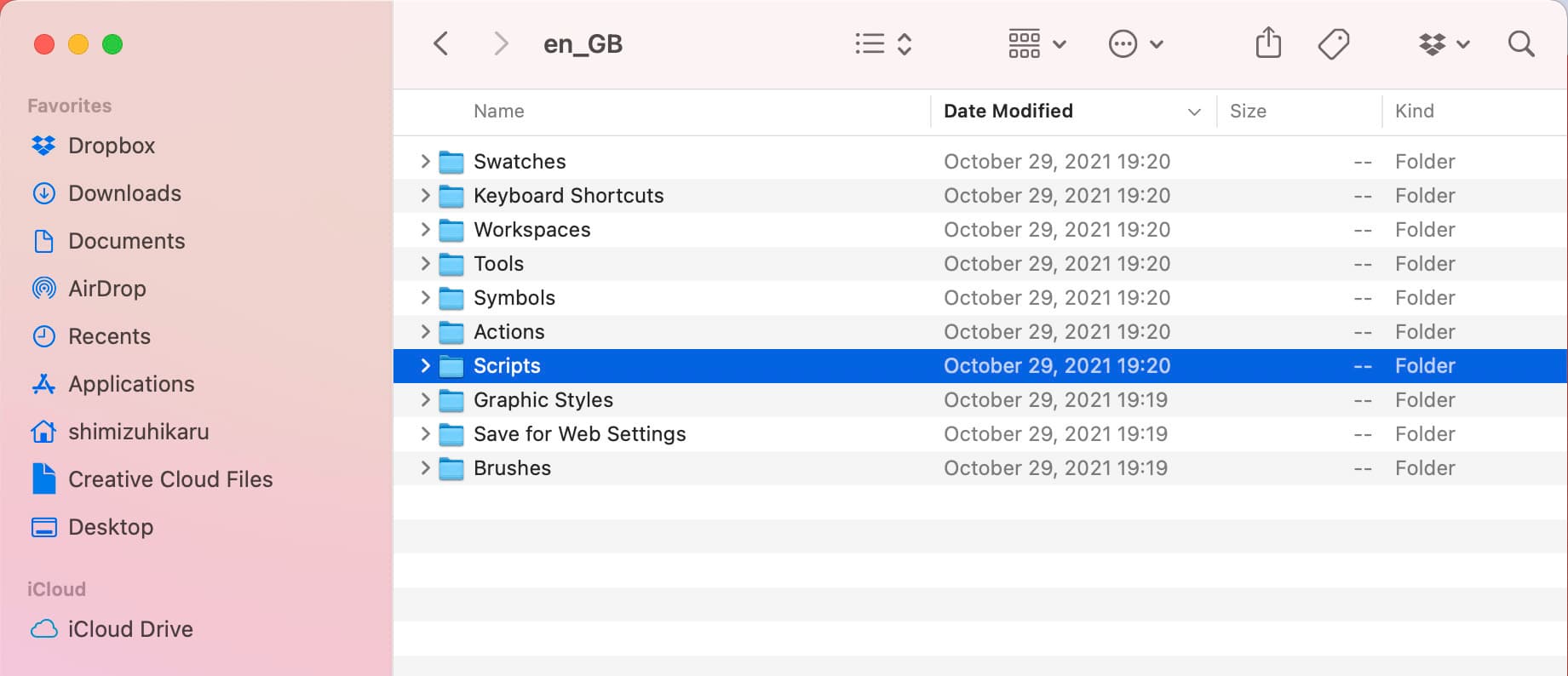
Put the script in the script folder.
Restart Adobe Illustrator and you are done.
/Applications/Adobe Illustrator CC 20XX /Presets/en_GB/Scripts
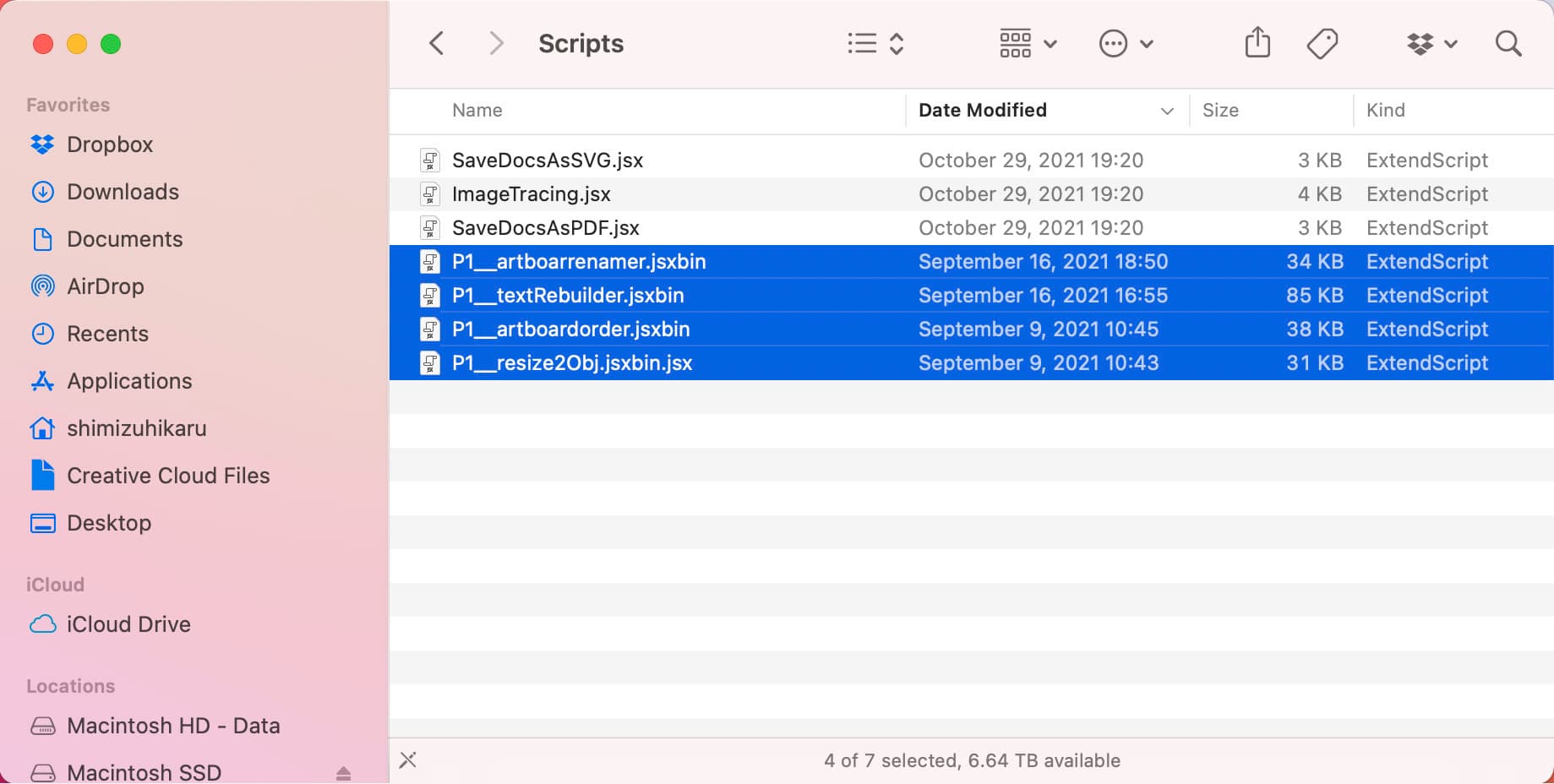
Using the script
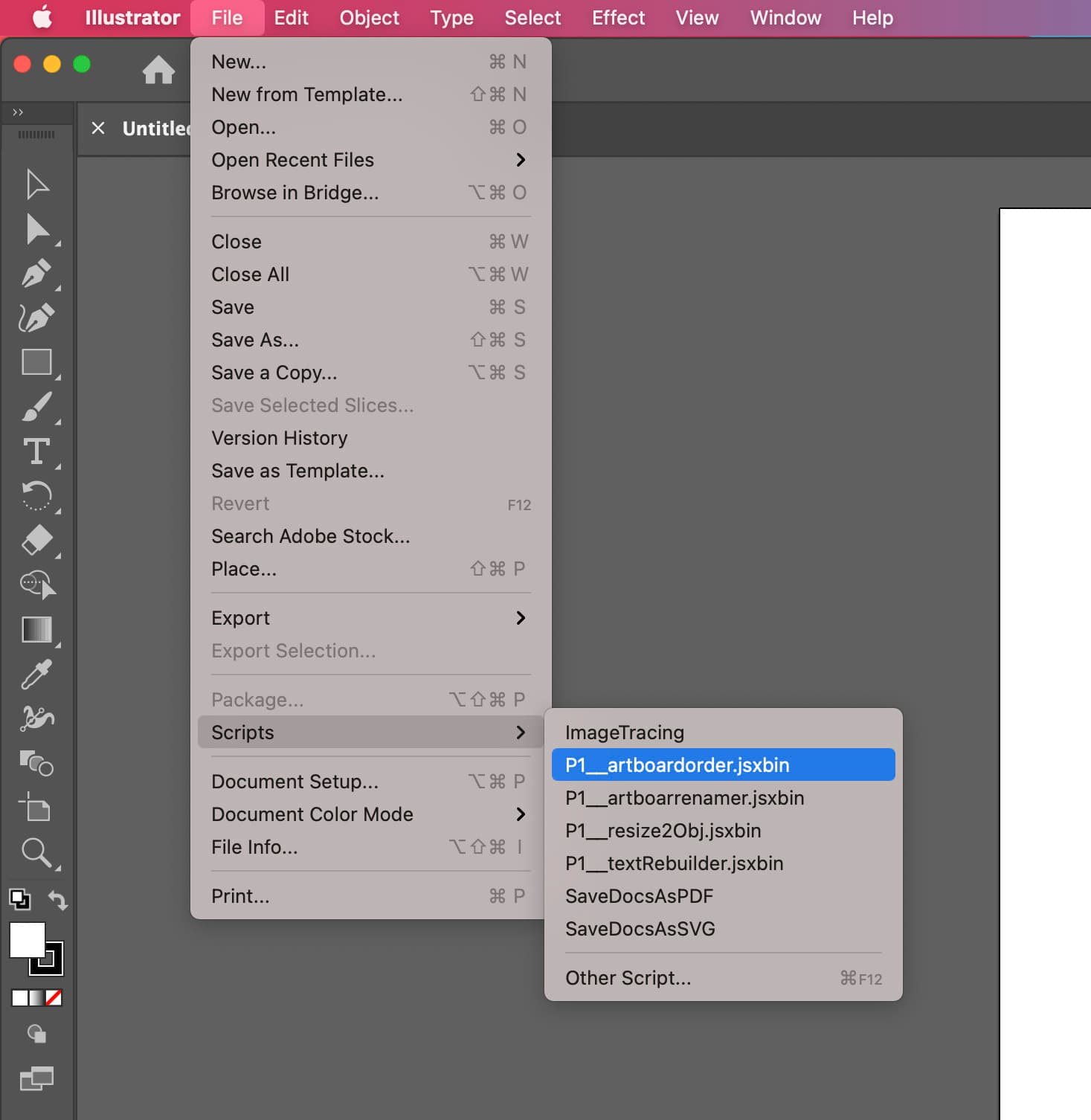
File from Adobe Illustrator > Scripts
Run the script
Copyright © 2021 p1-script All Rights Reserved.