WIE BEGINNEN
Wie das Skript verwendet wird
Laden Sie die Skriptdatei herunter und verschieben Sie sie in das folgende Verzeichnis
Legen Sie es einfach in das Verzeichnis und verwenden Sie es über das Menü von Illustrator.
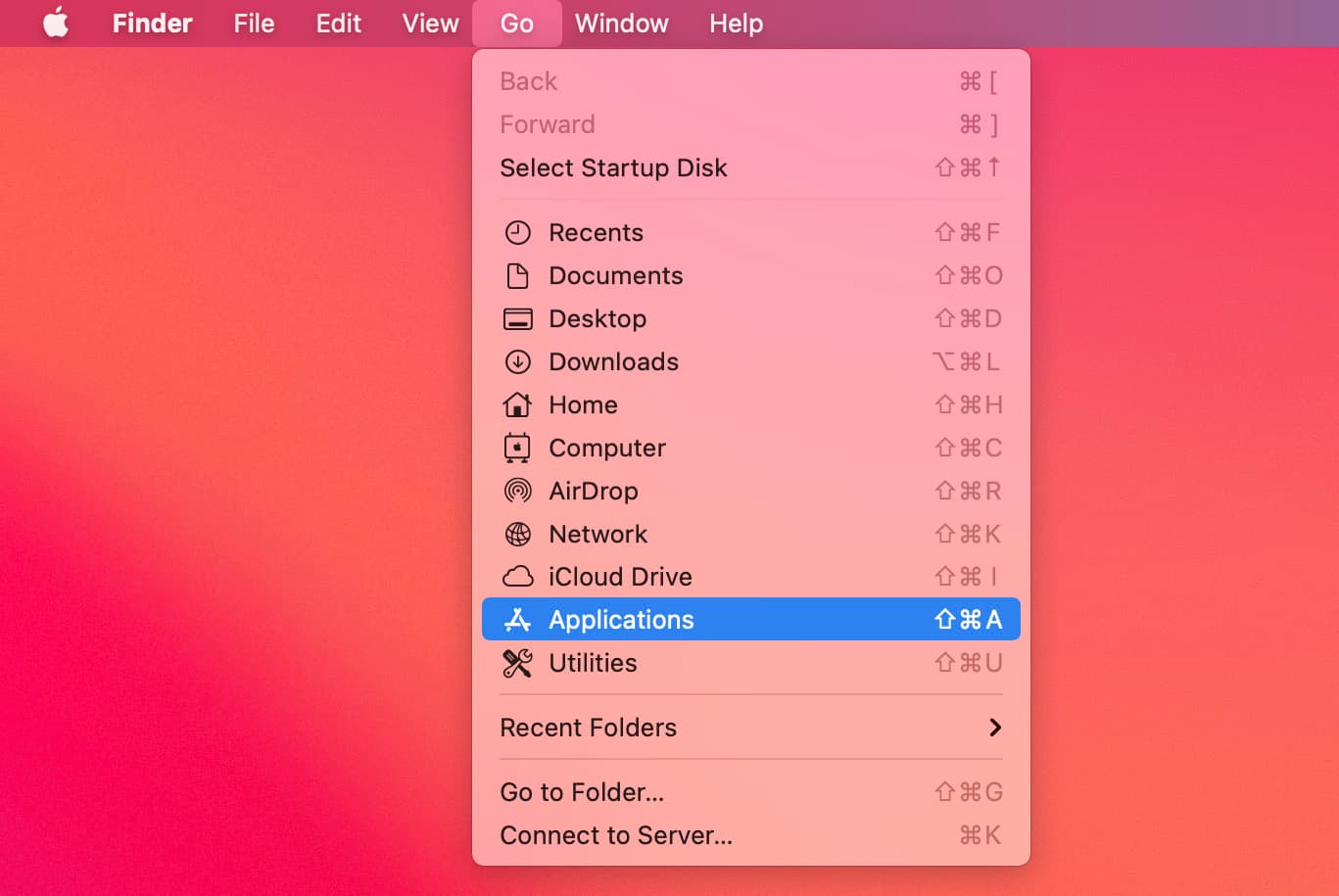
Go > Applications
/Applications/Adobe Illustrator CC 20XX /Presets/en_GB/Scripts
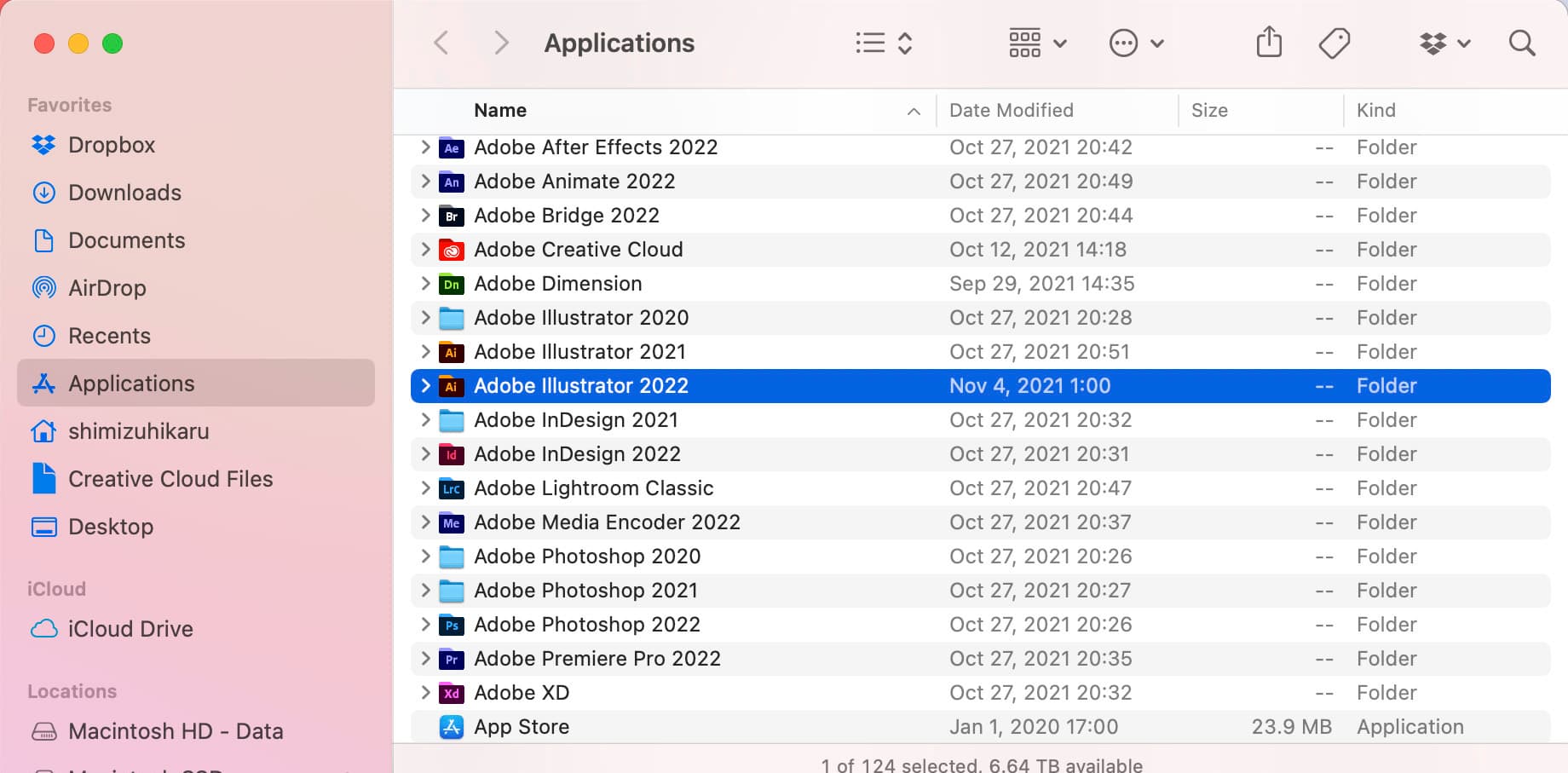
Open the Adobe Illustrator folder for scripts
/Applications/Adobe Illustrator CC 20XX /Presets/en_GB/Scripts
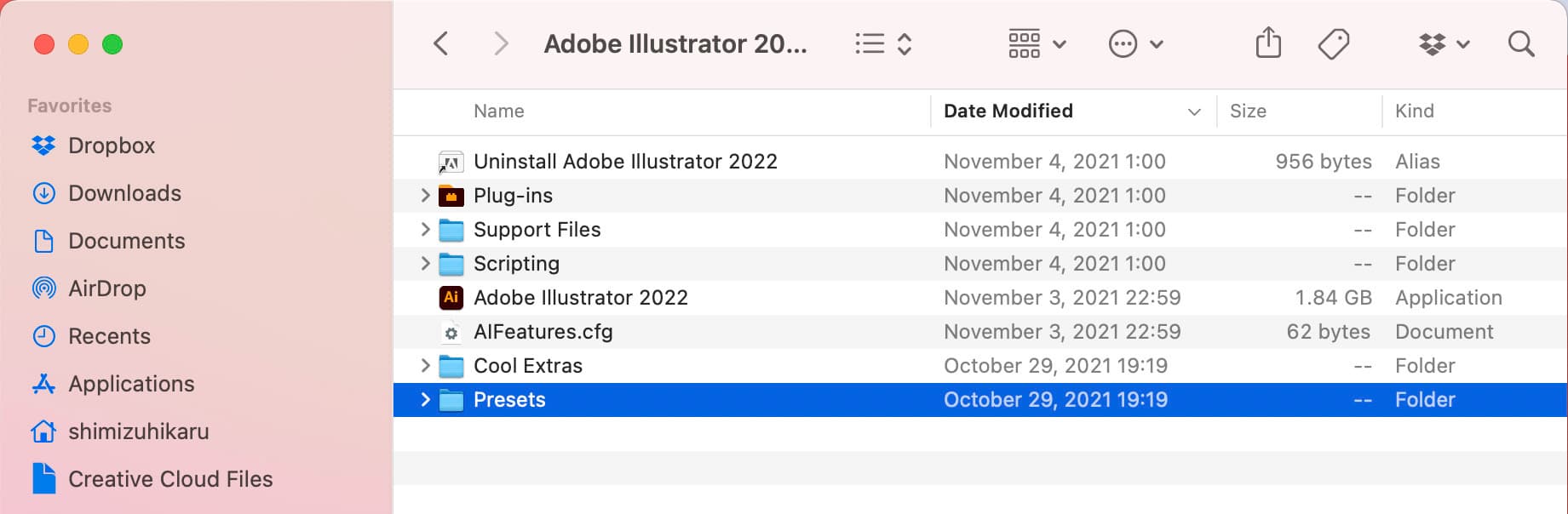
Open the Presets folder.
/Applications/Adobe Illustrator CC 20XX /Presets/en_GB/Scripts
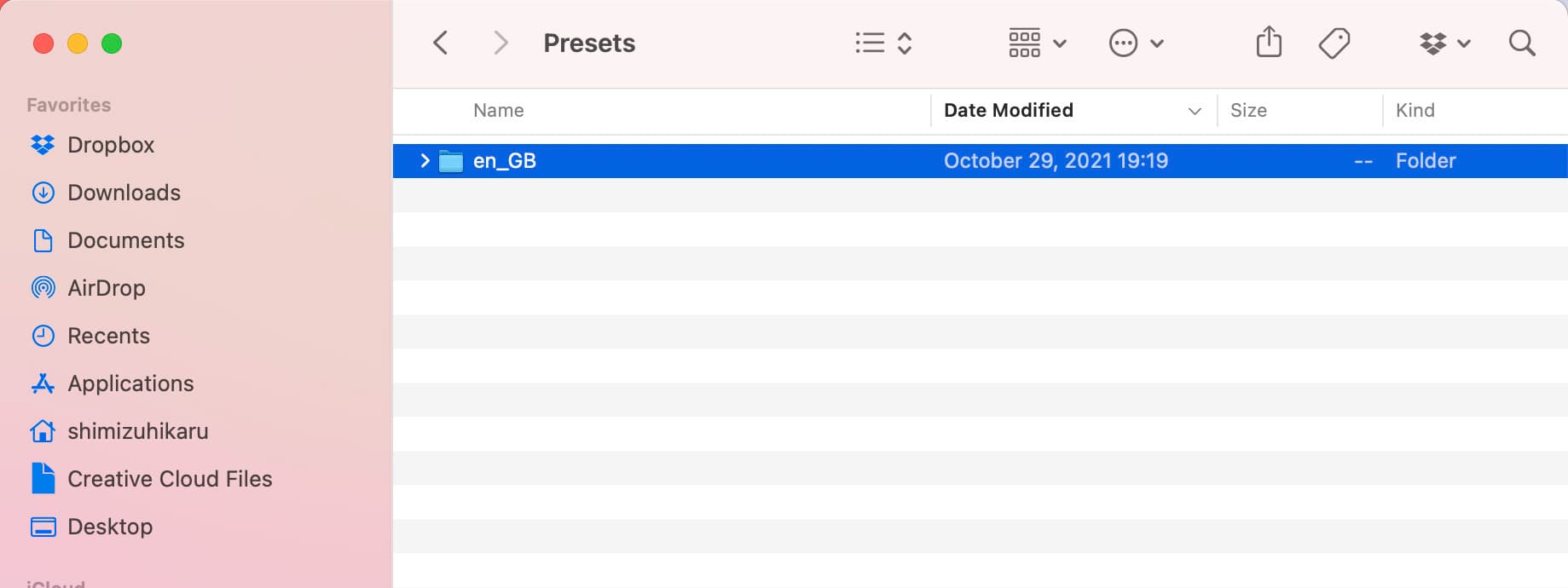
Open your language folder.
/Applications/Adobe Illustrator CC 20XX /Presets/en_GB/Scripts
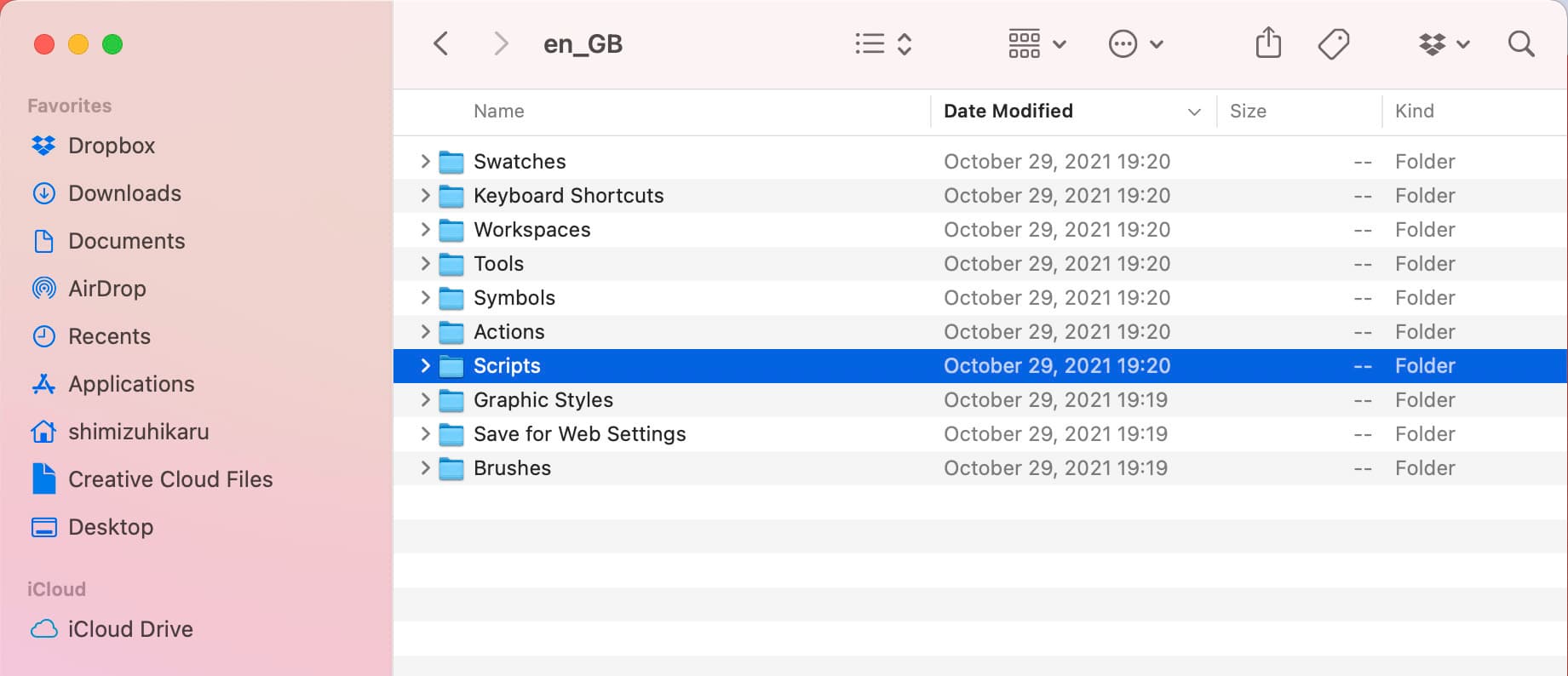
Put the script in the script folder.
Restart Adobe Illustrator and you are done.
/Applications/Adobe Illustrator CC 20XX /Presets/en_GB/Scripts
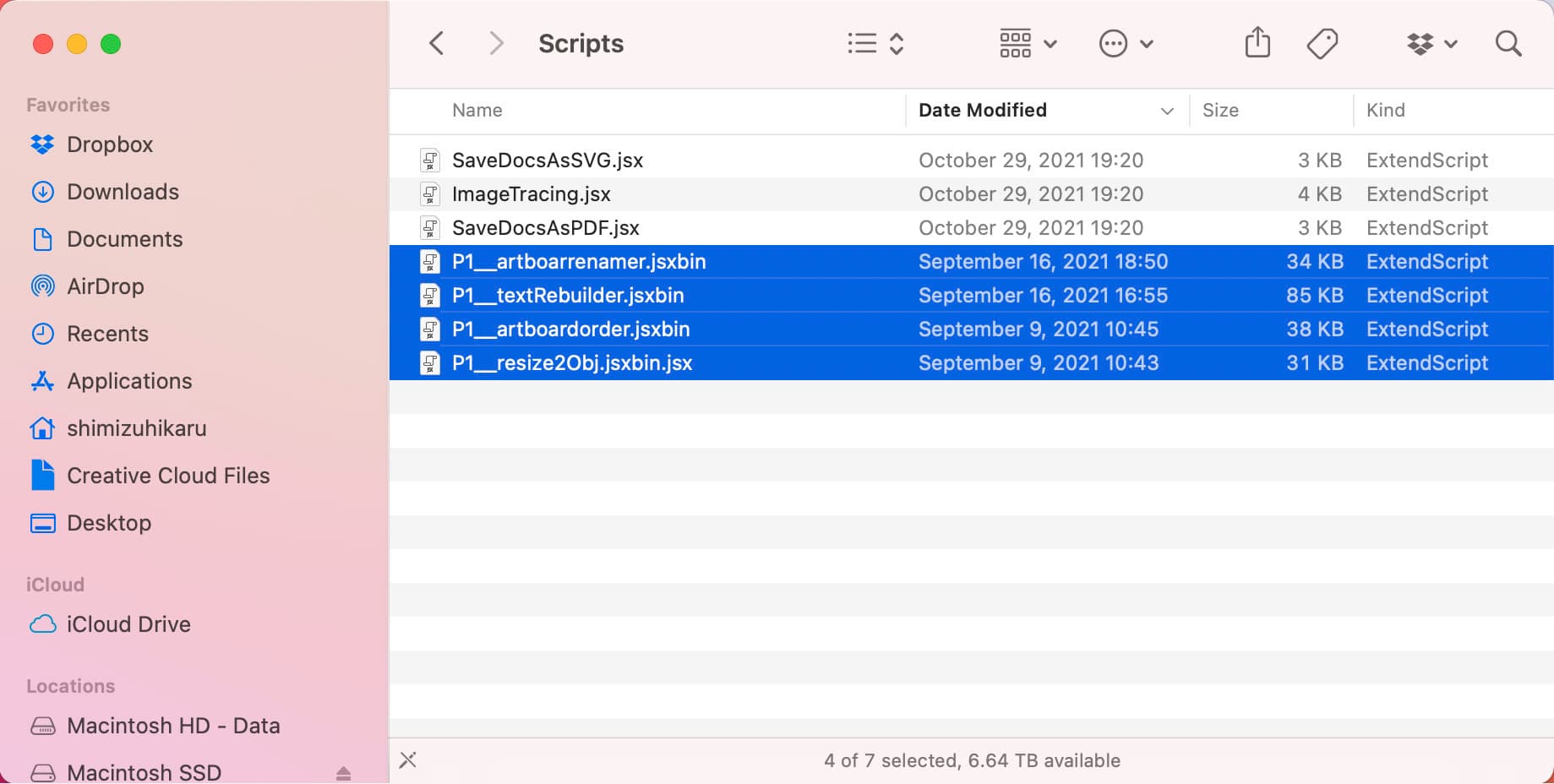
Using the script
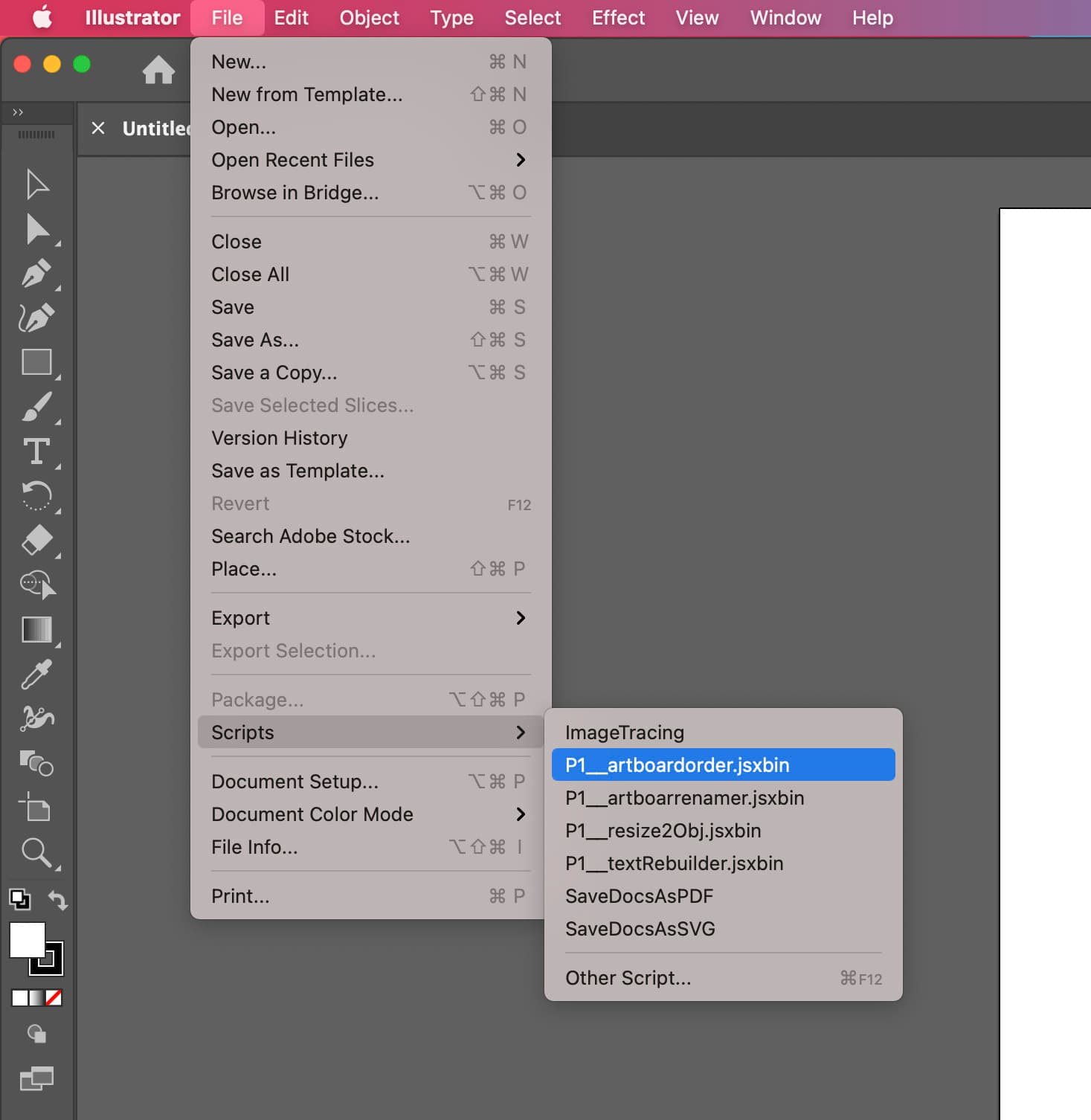
File from Adobe Illustrator > Scripts
Run the script
Copyright © 2021 p1-script All Rights Reserved.